Integrating Transcription Output Into Notion, Confluence, and Document Systems
Structured extraction turns transcripts into searchable, actionable content.
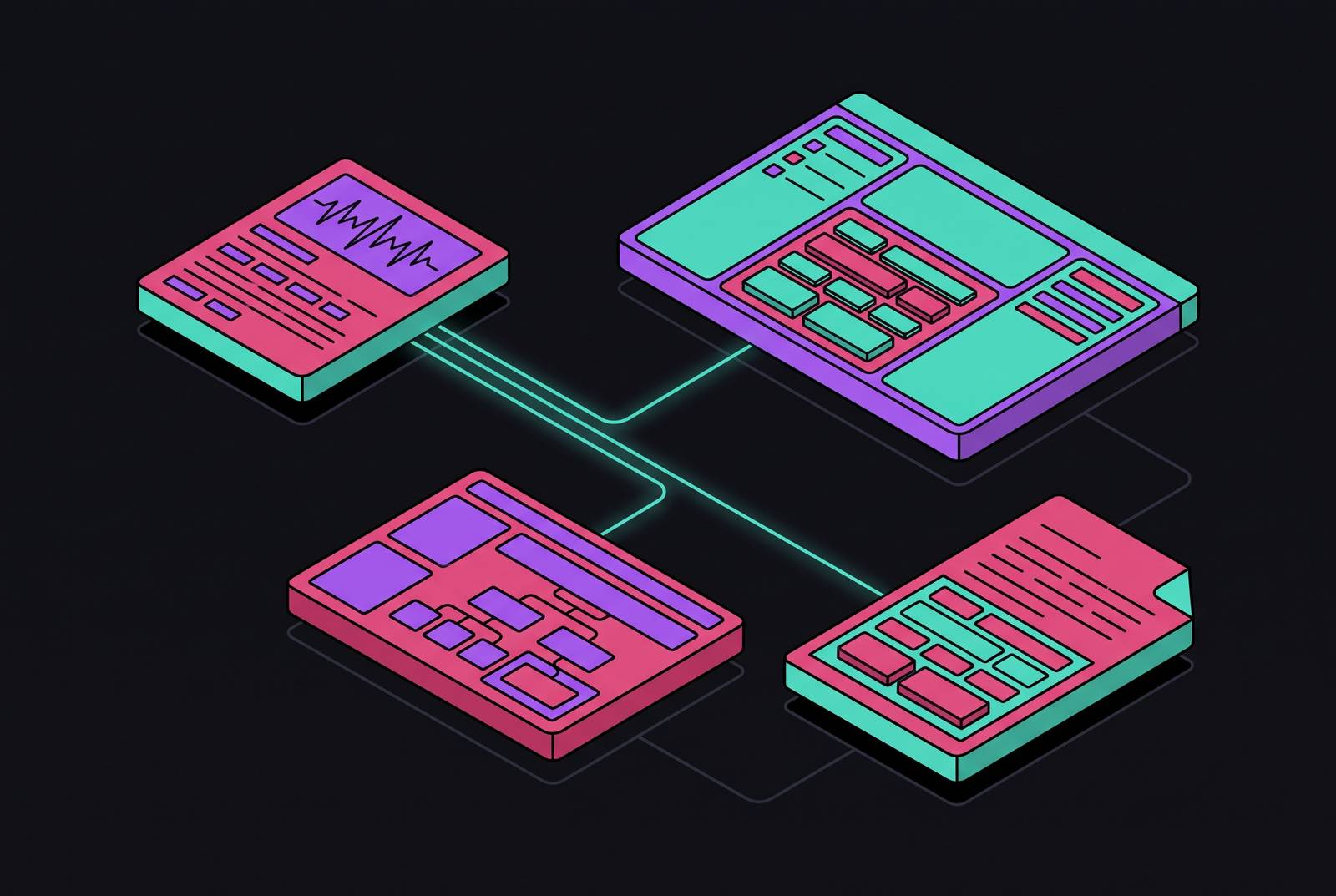
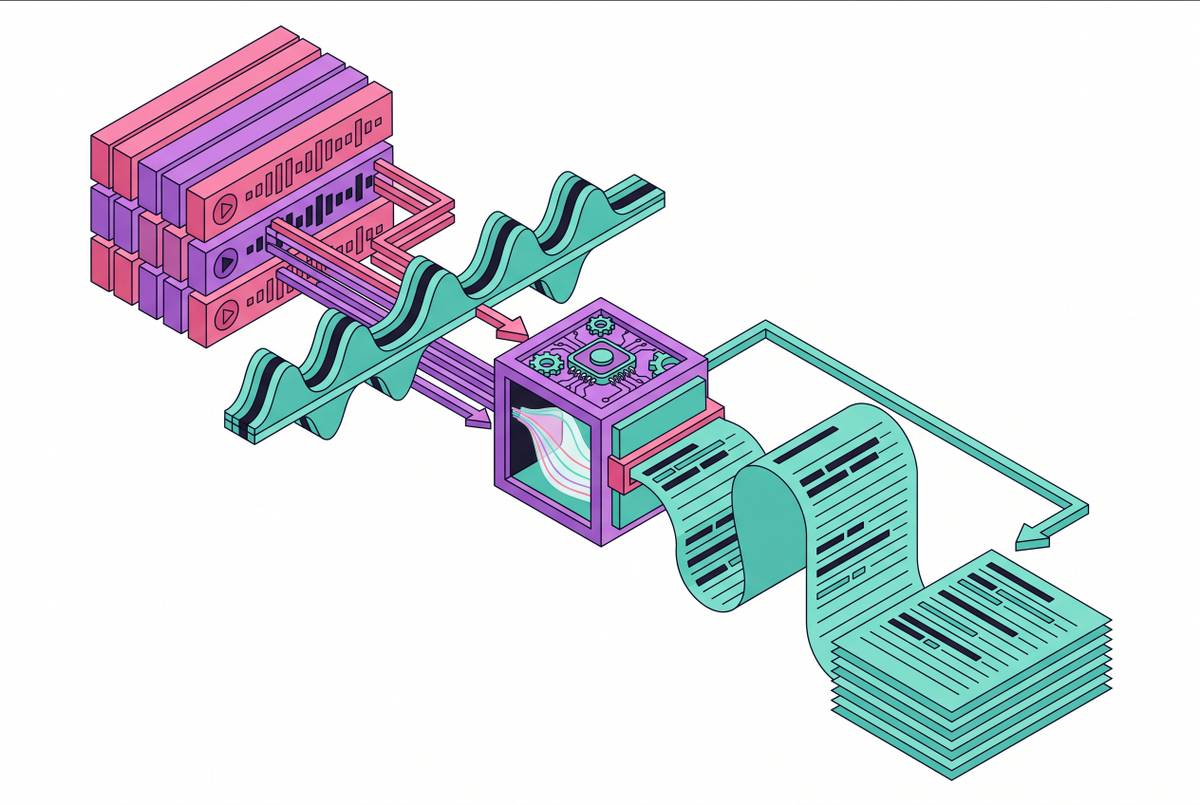
Transcription accuracy stopped being the hard problem a while ago. What matters is what happens after: a transcript is a flat, time-ordered wall of text, and Notion and Confluence are both built around structured, hierarchical, searchable pages. Dumping one into the other is like pouring a glass of water into a filing cabinet and expecting folders to sort themselves.
Neither platform helps you here by default. Even when the transcript file lands in the correct space, the platform's AI and search tools only operate on text written into page bodies, not on whatever is sitting inside an uploaded document. Attach a perfect, word-for-word transcript to a Confluence page and ask Rovo Search to find it: it may find the attachment exists, but it won't reason over what's said inside it the way it would with text typed directly into the page.
Pile enough of these transcripts into a workspace and a second, uglier problem shows up. The recording happened. The knowledge did not make it out alive.
How Notion and Confluence expect content to be structured
You need to know what each destination actually wants to receive before you route a single transcript anywhere, because Notion and Confluence are not two skins on the same underlying idea. Notion is block-based: every paragraph, heading, table, and embed is its own independent block, and those blocks live inside pages that can themselves live inside relational databases with properties like status, owner, and due date. A Notion workspace is less a filing cabinet than a spreadsheet that learned to grow pages out of its cells.
Confluence works differently. Neither model is better; they solve different organizational problems, and a transcript pipeline has to be built with the destination's actual shape in mind, not a generic "create a page" instinct that ignores how either platform is meant to be used.
Both platforms share one ceiling:... For teams that use Jira alongside Confluence, there's a added wrinkle: routing decisions have to account for where a page sits relative to an open issue or sprint, a detail that becomes relevant again once the Confluence pipeline is built out.
Mapping speech to structure: turning a raw transcript into something each platform can use
You have to decide what a transcript actually contains, and how those pieces line up with the destination platform's building blocks, before any API call fires or any automation triggers. This is a design decision, not a technical one, and skipping it is how teams end up with beautifully automated pipelines that produce useless pages at scale.
A typical meeting or recorded session breaks down into five recognizable pieces. There are decisions made during the conversation, which map to a dedicated section in either platform. And there are open questions, which map to a follow-up tracker so they don't vanish the moment the recording ends.
Getting from a flat transcript to those five categories requires a post-processing step, typically an AI summarization or extraction layer run on the transcript text, and it's the output of that layer, not the verbatim transcript, that actually gets routed into Notion or Confluence. If you skip this, the destination page just becomes a longer, less readable version of the same problem.
Language adds one more variable to the mapping. Tooling varies wildly here: some transcription tools cover six languages, others cover more than 100, and for a team operating across borders, that coverage gap is a deciding factor in tool selection long before anyone writes an integration script.
The three integration paths into Notion and Confluence
You have three practical routes for getting structured transcript output into Notion or Confluence, and each one trades convenience for control in a different place.
The first is the native path: AI features built directly into the platform that handle transcription and structuring without leaving the app. Notion's own AI Meeting Notes feature is the clear example. It supports multiple languages, but speaker labels currently work in only one of them. The tradeoff is lock-in: everything, notes, summaries, tasks, follow-ups, stays inside Notion's own walls.
The second is the dedicated meeting tool path, where a third-party product handles transcription and pushes the output into your document system through a built-in integration. This path automates the handoff cleanly but adds a dependency on a vendor whose product roadmap you don't control.
The third is the API-plus-automation path, the one with the most moving parts and the most control. It takes developer time to set up, but it's the only path that comfortably handles every source: recorded calls, uploaded audio files, video, whatever shows up. None of these three paths is universally correct. The right one depends on team size, how many languages are in play, how much developer time is available, and how much vendor dependency a team is willing to accept.
Building the Notion pipeline: from audio to a structured database entry
A Notion pipeline that holds up under real use treats the database, not the page, as the actual target. Each meeting or recorded session should land as a row in a database, carrying properties like date, participants, project, and status, linked to a page that holds the structured body content underneath.
The first step is transcription and extraction. Audio goes to a speech-to-text API that returns timestamped, speaker-labeled text, and a post-processing step pulls out the summary, the action items, the decisions, and the open questions as separate fields.
The second step is mapping that output onto Notion's data model. Decisions and open questions populate dedicated sections or multi-select properties, which matters because a property is filterable across the whole workspace in a way that buried prose text is not.
The third step is automation itself.
Notion's own AI Meeting Notes feature already covers the first two steps natively, if the recording happened inside the platform. For all of that, the external pipeline still has to exist, because the native feature only reaches as far as the platform's own recording surface.
Notion's block-based editor is the risk here: it makes it fast and easy to spin up new pages, so a busy transcript pipeline can quietly flood a workspace with pages that are accurate the day you create them and wrong a month later. The fix belongs in the pipeline itself: a review-trigger property that flags any page past a set age, so a human catches staleness during routine review instead of discovering it by accident during a client call.
Building the Confluence pipeline: routing transcripts into the right space and page tree
Confluence's pipeline has to answer a question Notion's structure mostly avoids: exactly where, in a tree of spaces and pages, does this new transcript-derived content belong, and who's allowed to see it. Get the routing wrong and the content exists on a server somewhere without ever reaching the people who actually need it.
Step one mirrors Notion's: transcription and structured extraction happen before anything touches Confluence, because Rovo AI works on text that's already written into a page body. It has no mechanism for reasoning over raw audio.
Step two is routing, where Confluence's hierarchy earns its keep. Teams running Jira alongside Confluence get a real benefit here: the new meeting page can link directly to an open Jira issue or sprint, so the documentation carries live issue status.
Step three is page creation itself: you do this through the Confluence REST API or a compatible automation tool.
Because Confluence keeps version history and an audit trail, this pipeline fits compliance-heavy environments better, where you need to retain and attribute meeting records over time, not just write them once and forget them. And the same file-understanding ceiling from earlier still applies: a beautifully structured transcript page does not make the original audio recording searchable. Only text sitting in the page body gets indexed by Rovo AI or Confluence's full-text search, so the attachment stays what it always was: a locked box next to an unlocked one.
How video and screen recordings fit into the pipeline
Training videos, screen recordings, and recorded product demos make up a large and fast-growing slice of what a company actually knows, and neither Notion nor Confluence can ingest, transcribe, or make any of it searchable on its own. Both platforms treat video exactly the way they treat audio: as an attachment they can store but not read.
The workaround is an upstream video-to-text step. Document360's AI writing agent shows one version of this pattern in practice, letting a user generate a structured knowledge base article from a video recording, audio file, or transcript inside its editor, though that still requires someone to upload the file and prompt the system rather than having it happen automatically in the background.
The gap that remains is timing. The resulting page captures what the video said at the moment someone ran the transcription, nothing more. A workable pipeline needs a trigger that re-runs transcription when the source video changes, because otherwise the written record and the actual recording quietly drift apart.
Keeping transcript-fed documentation accurate and current after it lands in the system
The real argument against automating this whole process is that doing it well at scale can make a knowledge base worse than doing nothing at all, because a high-volume transcription pipeline can flood Notion or Confluence with pages that were true the day they were written and silently false a few weeks on.
The fix has to be designed in from the start rather than bolted on after a workspace has already filled up with rot. Every transcript-derived page should carry a creation date, a review-by date, and a status field, current, needs review, archived, set automatically by the pipeline and editable by a human when something changes. Slite's own approach illustrates the shape this should take: an AI agent monitors documents for drift from reality, proposes a fix, and routes every change through human approval before it becomes the accepted version, rather than either leaving stale content untouched or silently overwriting it without anyone checking.
Human review at some point in the loop is not optional if quality actually matters. Netflix's localization pipeline runs ASR transcription followed by neural machine translation, generally routing that output through professional linguists and editors before it ships, though for some fast-turnaround content it drops that editing step. The lesson transfers directly: speed from automation, judgment from a human, and a decision about which content can skip the human step and which can't.
In practice, a freshness pipeline only needs three moving parts. And a simple approval step either confirms the page is still accurate or kicks off an update. Skipping this loop causes the knowledge base to degrade under the weight of its own output, which is a strange kind of failure: the pipeline works perfectly and the documentation gets worse anyway.
Making transcript-derived pages findable through metadata, labels, and retrieval design
A page that exists but can't be found is functionally identical to a page that was never written.
Metadata set at creation time is the main lever here. In Notion, database properties, project, team, date, participants, tags, determine what shows up in filtered views and what Notion's AI Q&A can actually find when someone asks it a question. These fields need to be written by the pipeline itself at creation time. Leaving them for a human to fill in later is how half a workspace ends up untagged and invisible.
If you're evaluating a document platform for AI-assisted search, check whether it actually supports these retrieval patterns, because plain keyword search falls apart on the conversational, loosely-worded questions people actually ask.
Otter's April 2026 relaunch points at where this is heading. It acts as an MCP server, so outside AI tools, including ChatGPT and Claude, can query meeting history as live context instead of treating it as a static archive sitting in cold storage. Because other systems can query it as live context in real time, transcript-derived content is no longer just a record of what happened.
None of this works if permissions are wrong. Permissions need to be inherited or set at creation time, based on who was actually in the meeting or which project it belongs to, not patched in after the fact.
What a complete, maintainable transcript-to-documentation pipeline looks like end-to-end
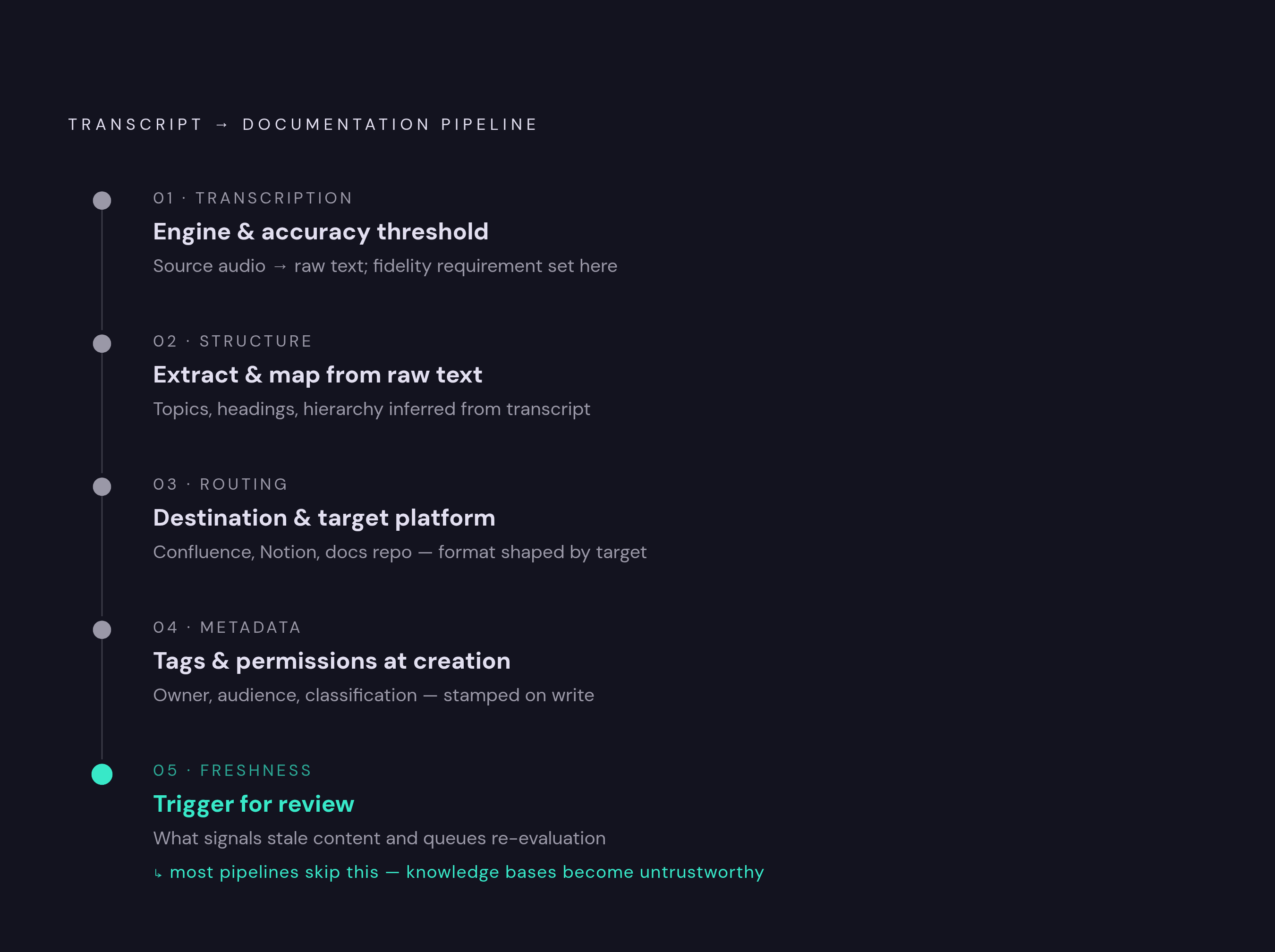
Pull all of this together: a transcript pipeline that actually holds up is five decisions, made in sequence: what to use for transcription and how accurate it needs to be, how to extract and map structure out of the raw text, where the output gets routed and which platform it targets, what metadata and permissions get attached at the moment of creation, and what triggers a freshness review down the line.
The transcription layer, whether that's a speech-to-text API handling uploaded audio and video, a native feature like Notion's AI Meeting Notes, or a dedicated tool like Fireflies or Otter, needs to produce speaker-attributed, timestamped text in every language the organization actually operates in.
The extraction layer, the AI post-processing step that pulls summaries, action items, decisions, and open questions out of flat text, shapes the quality of everything that comes after it. Time spent getting the prompts or the extraction logic right pays off repeatedly, since every single page entering the knowledge base passes through that layer first.
The automation layer, whatever combination of webhook, Zapier, Make, or direct API calls ties it together, needs ongoing maintenance, not a one-time setup. API versions change. Platform schemas shift without much warning. A pipeline that worked cleanly six months ago can fail silently today, so you need monitoring and alerting on pipeline failures in the plan from day one, not as a fix you apply after something has already gone quiet for a month.
The loop only closes when a human confirms a page is still accurate, not when the page first gets created. That freshness check is the step most pipelines skip, and it's the reason so many transcript-fed knowledge bases end up technically well-automated and practically untrustworthy at the same time.